
Author
Pixels Mark
Release
Intensity
10 MIN READ
No Credit Card Required SVG & PNG Download Free
Most photographers spend months perfecting their craft before they think about branding. Then one day a potential client asks for a business card, or they want to watermark their images before sharing them, and the logo question becomes urgent.
A logo is often the first signal that tells a client whether your photography brand feels polished, trustworthy, and worth remembering.
The good news is that creating a photography logo online is genuinely straightforward now. You do not need design experience, expensive software, or a designer on retainer. What you need is a clear understanding of what your logo should do and a logical process to get there.
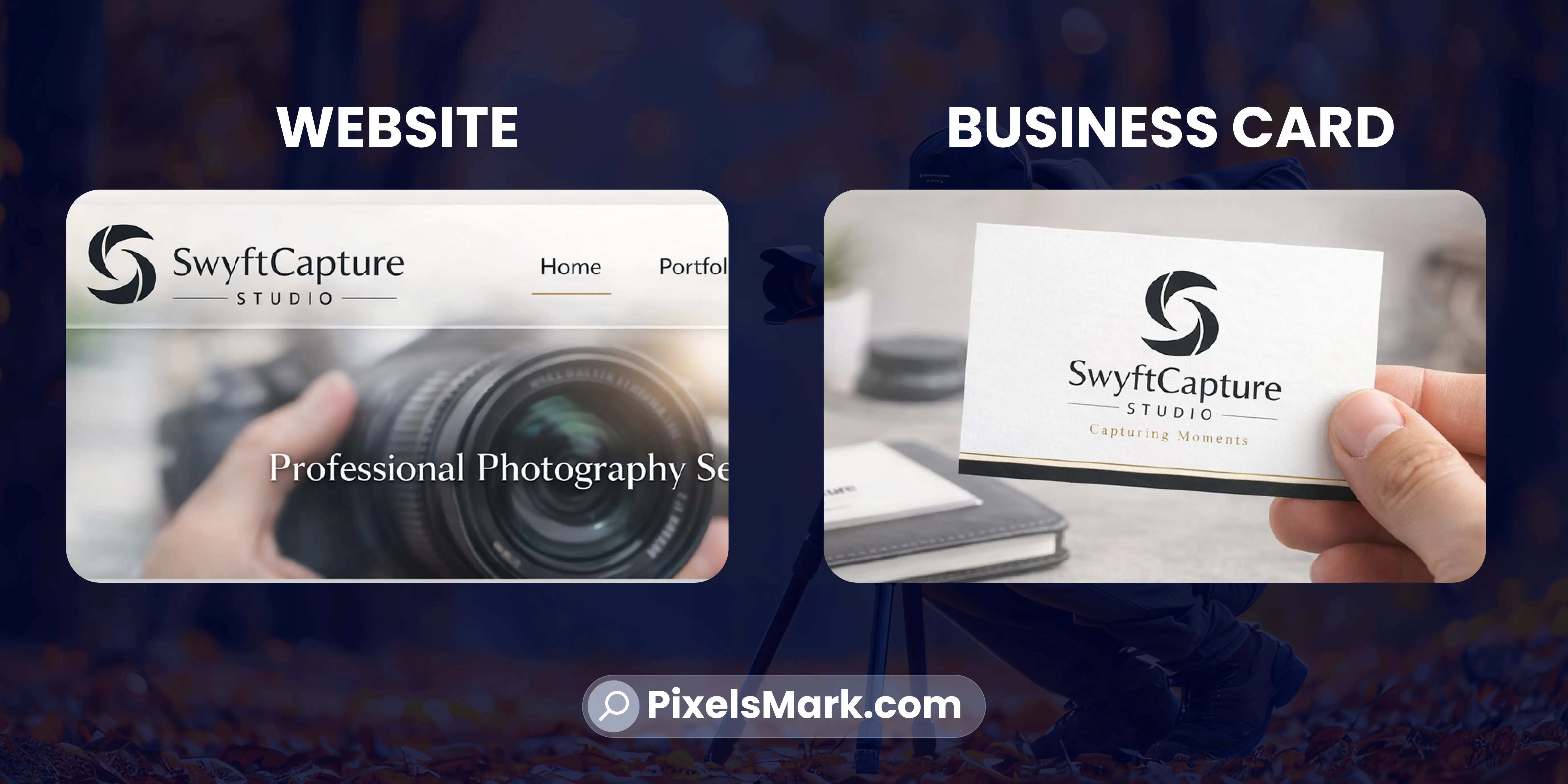
This guide walks through that process step by step, from defining your style to downloading files ready for your website, watermarks, and print materials.
Why Your Photography Logo Matters More Than You Think
Your logo is not just decoration. It is the one piece of your brand that travels furthest. Every watermarked image you share, every email signature, every social media profile, every printed card carries your logo into contexts you cannot control or predict.
A strong logo communicates your niche, your quality, and your personality before a single word is read. A weak logo, or the absence of one, communicates the opposite.
Most beginner photographers underestimate how much this first impression costs them. Clients making high-value decisions, especially in wedding, portrait, and commercial photography, use every available signal to assess whether a photographer is worth hiring. Your logo is one of those signals.
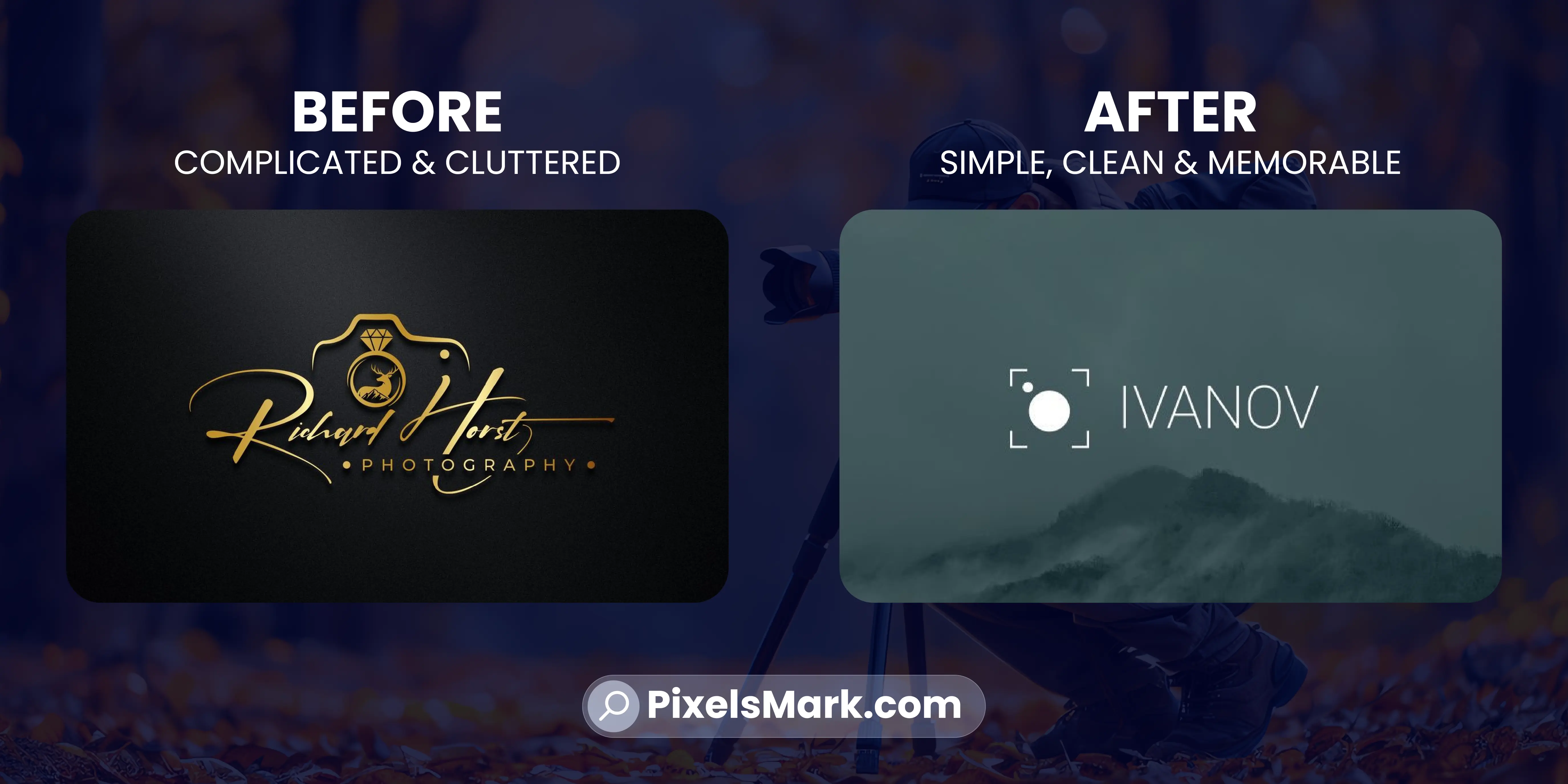
The encouraging part is that a strong photography logo does not need to be complex. In most cases, the simpler it is, the better it works.
Step-by-Step: How to Create a Photography Logo Online
Step 1: Define Your Brand Style Before You Open Any Tool
The most common mistake beginners make is opening a logo maker before they have any clarity on what their brand should feel like. They end up choosing whatever looks good in the moment rather than what actually fits their photography niche and target clients.
Before touching any tool, answer three questions. What kind of photography do you do? Who are your ideal clients? What feeling should someone have when they see your brand?
- A wedding photographer targeting luxury clients needs a logo that feels elegant and personal.
- A drone photographer targeting commercial clients needs something sharp and technically credible.
- A newborn photographer needs warmth and softness.
These are completely different visual directions, and a logo that works for one would feel wrong for another. Spend ten minutes on this before anything else. It makes every subsequent decision easier.
Step 2: Choose Your Niche-Specific Visual Direction
Once you know what your brand should feel like, you can choose a visual direction that matches.
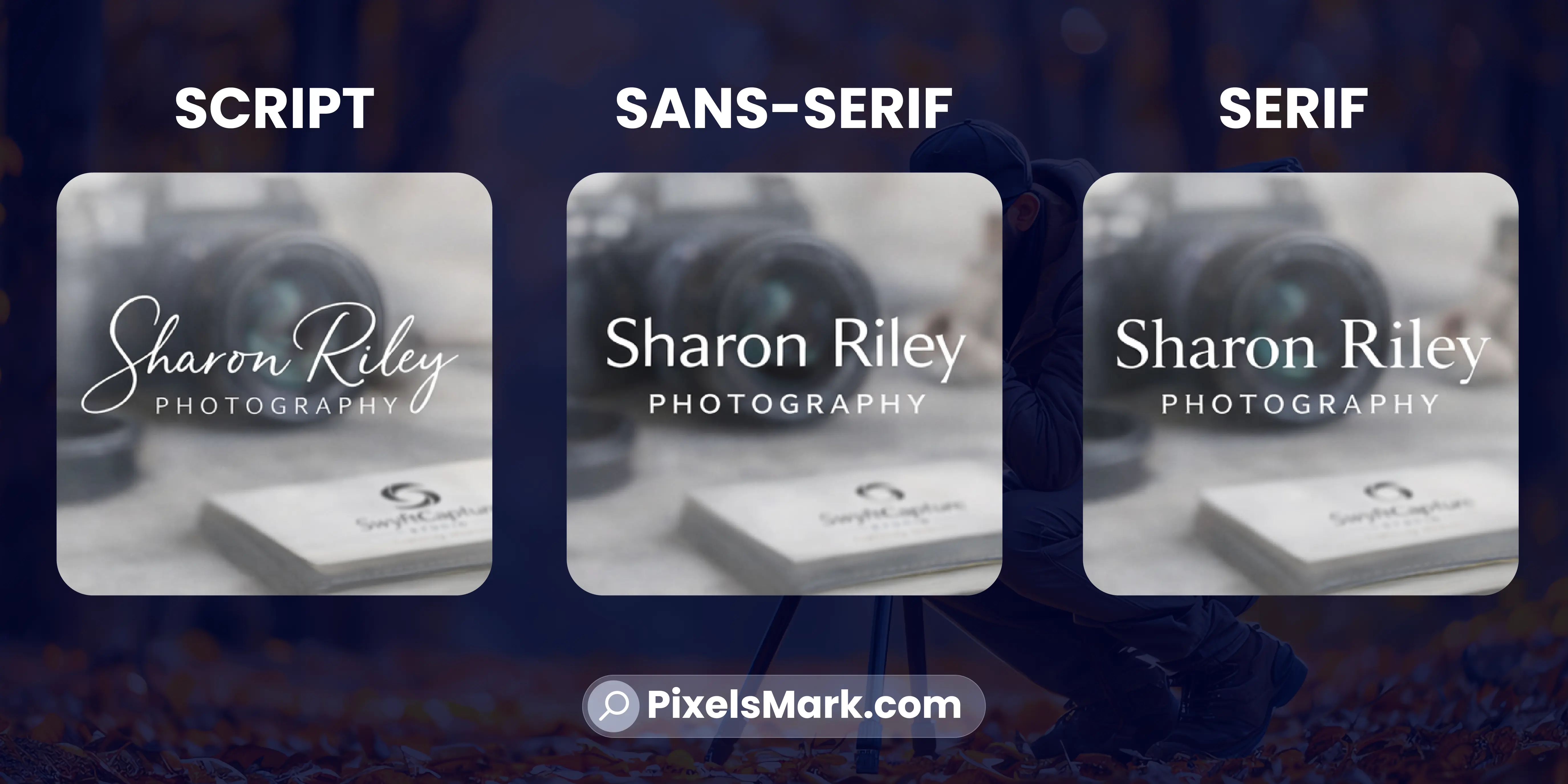
- For wedding and portrait photographers, signature scripts and refined serif fonts create the warm, personal quality that clients in this market respond to.
- For commercial, editorial, and drone photographers, clean geometric sans-serifs signal precision and authority.
- For fine art photographers, classic serif typography feels timeless rather than trendy.
Beyond fonts, consider whether you want a wordmark (just your name in a designed font), a lettermark (initials only), or a combination mark (name plus a simple icon or symbol). Most photographers do well starting with a wordmark or combination mark.
For a deeper look at which styles work best across different photography niches, our guide on photography logo design tips covers the design principles in detail.
Step 3: Pick Your Font
Font selection is where most beginner logos go wrong. The instinct is to choose something decorative because it looks impressive at large sizes. The problem is that watermarks live at small sizes, and a thin ornate script that looks beautiful at 600 pixels wide becomes unreadable at 150 pixels wide.
The rule is simple. Test every font you consider at the actual size it will appear as a watermark on a shared image. If it reads clearly at that size, it is a candidate. If it does not, eliminate it regardless of how good it looks large.
- For script fonts, look for consistent stroke weight throughout the letterforms.
- For sans-serif fonts, use the regular or medium weight rather than thin or light.
- For serif fonts, test legibility on both light and dark backgrounds before committing.
Our guide on photography watermark fonts covers font categories in detail, with specific recommendations for each photography niche.
Step 4: Choose Colors That Match Your Photography Style
Color is one of the most underused tools in photography branding. The palette you choose sends signals about your market position before anyone reads your name.
- Warm golds, ivory, and blush tones suit wedding and luxury portrait photographers.
- Black with a single accent color works well for commercial and editorial photographers.
- Earthy tones, deep greens, and blues suit travel and outdoor photographers.
One practical rule before finalizing any color choice: test your logo in black and white. A logo that only works in color has a structural problem. The design itself should be strong enough to stand without color. Color is an enhancement, not a crutch.
Step 5: Test Watermark Usability Before Finalizing
This step is skipped by almost every beginner, and it causes real problems later.
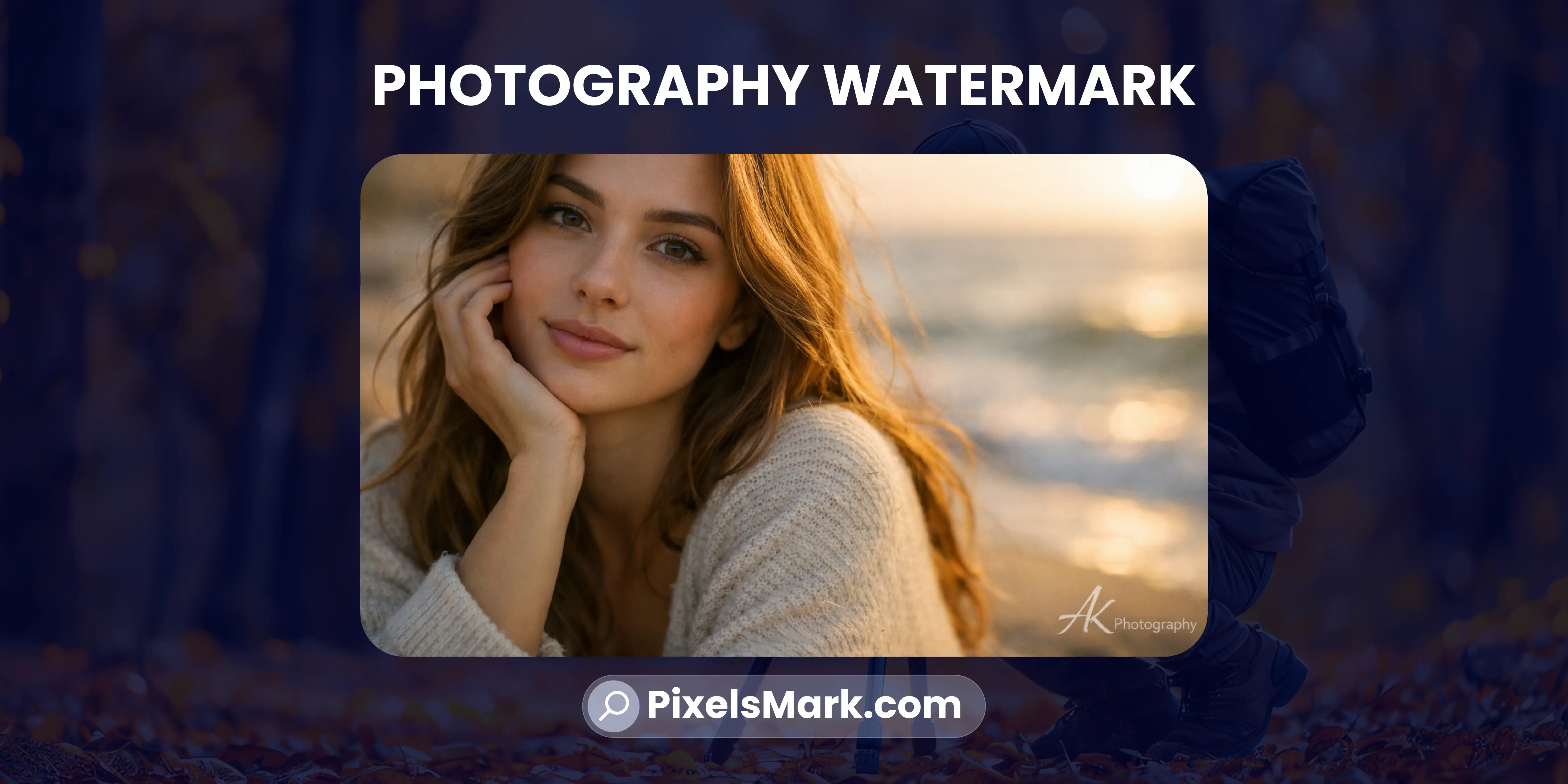
Before you commit to any logo design, export a transparent PNG version and place it over one of your actual photographs at 40 percent opacity. Test over a light image and a dark image. If the logo reads clearly at small sizes, looks professional at reduced opacity, and does not distract from the subject of the photograph, it works as a watermark.
For a complete walkthrough of the watermark setup process, our guide on how to make a photography watermark covers every practical decision from placement to opacity to export settings.
Common Mistakes Beginners Make
- Choosing a logo that looks good large but fails small. This is the most common issue. Every design decision should be tested at watermark size, not just at full screen.
- Using too many fonts or colors. Two fonts maximum, two colors maximum. More than that creates visual noise that undermines the professional impression you are trying to build.
- Copying trends without considering longevity. A logo built around what is popular in 2026 will feel dated by 2028. Build for longevity, not trend alignment.
- Skipping the watermark test. A logo that looks great on a white background but disappears or looks cluttered over a photograph is not a complete logo for a photographer. Always test in context.
- Rushing the style decision. Ten minutes spent defining your brand direction saves hours of redesigning later. Do not skip Step 1.
Best Online Tools for Creating a Photography Logo
Most logo makers are built for generic businesses. They produce results that look appropriate for a restaurant or a law firm but feel completely off for a photographer. Here is an honest comparison of the main options.
- Canva has a large template library and is easy to use. The templates are general rather than photography-specific, which means more manual customization is required. Export options on the free tier are limited.
- Adobe Express gives you more design control and integrates with the Adobe ecosystem. It requires a paid subscription for the features that matter most, and it is not built specifically for photographers.
- Pixelsmark is the only tool on this list built specifically for photography brands. It produces results that actually fit the visual language photographers need, exports in transparent PNG and SVG formats ready for immediate use, and is completely free with no credit card required.
For photographers who want a logo that looks like it was designed for their specific niche, Pixelsmark's photography logo maker is the most direct route to a professional result.
Why Photographers Need Both PNG and SVG
This is one of the most commonly misunderstood parts of logo creation for photographers.
- PNG is a raster format. It works well for social media profiles, email signatures, and watermarks because it supports transparent backgrounds. The limitation is that it has a fixed resolution — enlarge it beyond its original dimensions and it becomes blurry.
- SVG is a vector format. It scales to any size without losing quality. The same file looks sharp on a mobile icon and on a large printed banner. For website use and print applications, SVG is the professional standard.
Most photographers need both. PNG for watermarks and social media, SVG for website headers and print. A good logo maker should provide both in a single download.
For a complete breakdown of when to use each format, our guide on PNG vs SVG vs JPG covers every use case with practical guidance.
How to Use Your Logo as a Watermark
Once your logo files are downloaded, setting up your watermark is straightforward
- 1.Lightroom: Go to File, Export, and scroll to the Watermarking section. Select Graphic Watermark, upload your transparent PNG, then set the size, opacity, and position. Save this as a preset and it applies automatically to every future export.
- 2.Photoshop: Open your image, place the transparent PNG on a new layer, set the layer opacity to between 30 and 50 percent, and position it in the corner. Save the layered file as a template for reuse.
The opacity range of 30 to 50 percent keeps the watermark visible enough to be recognizable and protective without competing with the image itself.
Frequently Asked Questions
Can I make a photography logo online for free?
Yes. Several tools offer free logo creation, including Pixelsmark, which is built specifically for photographers and exports transparent PNG and SVG files at no cost. The key is choosing a tool that produces photography-appropriate styles rather than generic business templates
What should a photography logo include?
At minimum, your name or studio name in a font that reflects your photography niche and brand personality. Many photographers add a simple icon, monogram, or signature element. Keep it to one or two elements. Every element should earn its place in the design.
What is the best format for a photography logo?
SVG for your website and print materials. Transparent PNG for watermarks and social media. Ideally, your logo maker should provide both formats in a single download so you have everything you need immediately.
Can I use my logo as a watermark?
Yes, and it is one of the most effective long-term branding decisions a photographer can make. Every image you share publicly becomes a piece of brand exposure. The key is designing with watermark use in mind from the start. Test your logo over actual photographs at 40 percent opacity before finalizing it.
How long does it take to create a photography logo online?
With the right tool, the actual creation process takes fifteen minutes or less. The decisions that take longer are the ones that happen before you open any tool: defining your brand direction, choosing your niche style, and deciding what feeling your logo should communicate. Spend more time on those and less time adjusting templates.
Conclusion
Creating a photography logo online is genuinely accessible now, but accessible does not mean automatic. The difference between a logo that builds your brand over time and one that looks like a template is the quality of the decisions made before and during the creation process.
Define your style before you open any tool. Choose fonts and colors that match your photography niche and your target clients. Test everything at watermark size. Export in both SVG and PNG formats. Apply it consistently across every platform and every image you share.
Pixelsmark's free photography logo maker gives you photography-specific styles, transparent PNG and SVG exports, and a straightforward creation process with no design experience required.
References
- Adobe: Logo Design and Brand Identity Best Practices (adobe.com)
- Canva Design School: Building a Visual Brand Identity (canva.com)
- AIGA: Principles of Professional Logo Design (aiga.org)