Author
Pixels Mark
Release
Intensity
17 MIN READ
A drone photography logo may appear on a vehicle or trailer, on a proposal document, and as a semi-transparent overlay on portfolio or showreel footage — often in the same week. These applications call for a logo system that stays readable at different sizes and on different backgrounds. Watermarks on final client deliverables should follow the client agreement.
Quick answer: Start with three decisions: (1) choose a mark that stays readable in your smallest intended application, including footage where a watermark is appropriate, (2) compare a palette and typeface against your client brief — a technical, refined, or energetic direction may fit different brands — and (3) export a transparent PNG for a supported overlay workflow and test it on representative footage. The sections below explain each decision in detail.
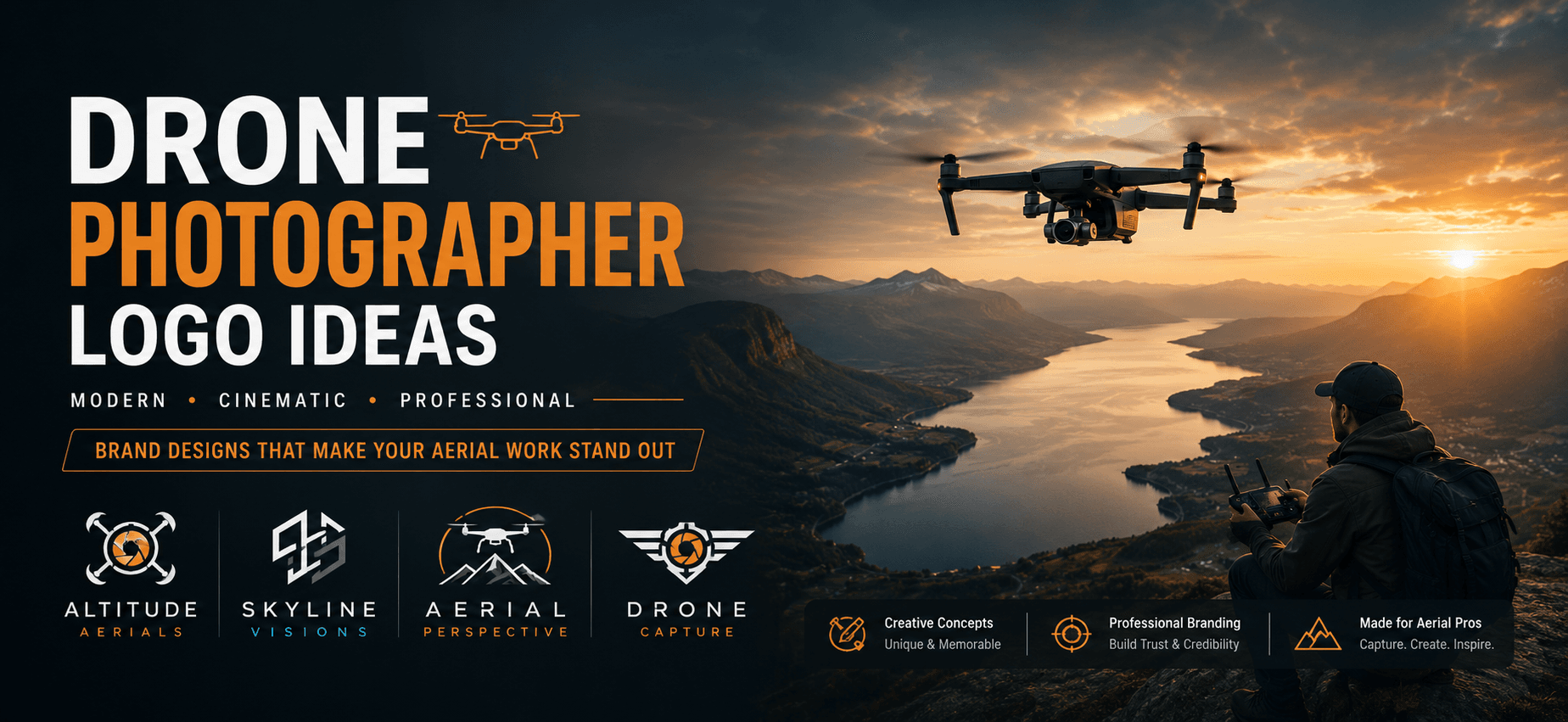
Start with your primary client type and the places your logo will appear. A real estate aerial photographer and a construction inspection operator may benefit from different visual approaches, even though both fly the same equipment. This guide explains those choices in terms you can apply.
Why Drone Photographers Need a Distinct Logo
Drone photography clients include real estate developers, construction project managers, resort marketing teams, and documentary producers. They are comparing vendors. Your logo can be one of the first elements they see alongside your portfolio.
Drone photography combines technology services and creative photography. A precise, restrained identity may fit an inspection brief, while a more expressive treatment may suit a resort portfolio. Choose a direction that fits the business and its applications; a drone icon can identify the subject, but it cannot establish technical competence or service quality by itself.
Consider these practical requirements when choosing a drone photography identity:
- Hold up at the smallest size you actually use. Where a footage watermark is appropriate, fine strokes and multiple details can lose clarity. Test a simplified version at the intended overlay size as well as in your other applications.
- Read clearly at distance on vehicles or equipment. If you operate branded vehicles, your mark is read from a moving car or from across a site. High contrast and sufficient visual weight matter more here than fine detail.
- Consider how your mark sits alongside other visual elements in context. On a portfolio clip, a client-approved preview, or a co-branded document, your logo may appear near client branding or platform UI. A mark that is too similar in shape or color to common industry elements can disappear or create visual confusion.
- Adapt to both light and dark backgrounds. Video platforms, listing sites, and proposal documents use different backgrounds. Prepare light and dark variants for the backgrounds you actually use, and check contrast in each context.
For a broader overview of how these principles apply across photography specialties, see the PixelsMark guide to photography logo design tips.
8 Drone Photographer Logo Styles: Comparison Table
| Style | Best For | Why It Works | Main Limitation |
|---|---|---|---|
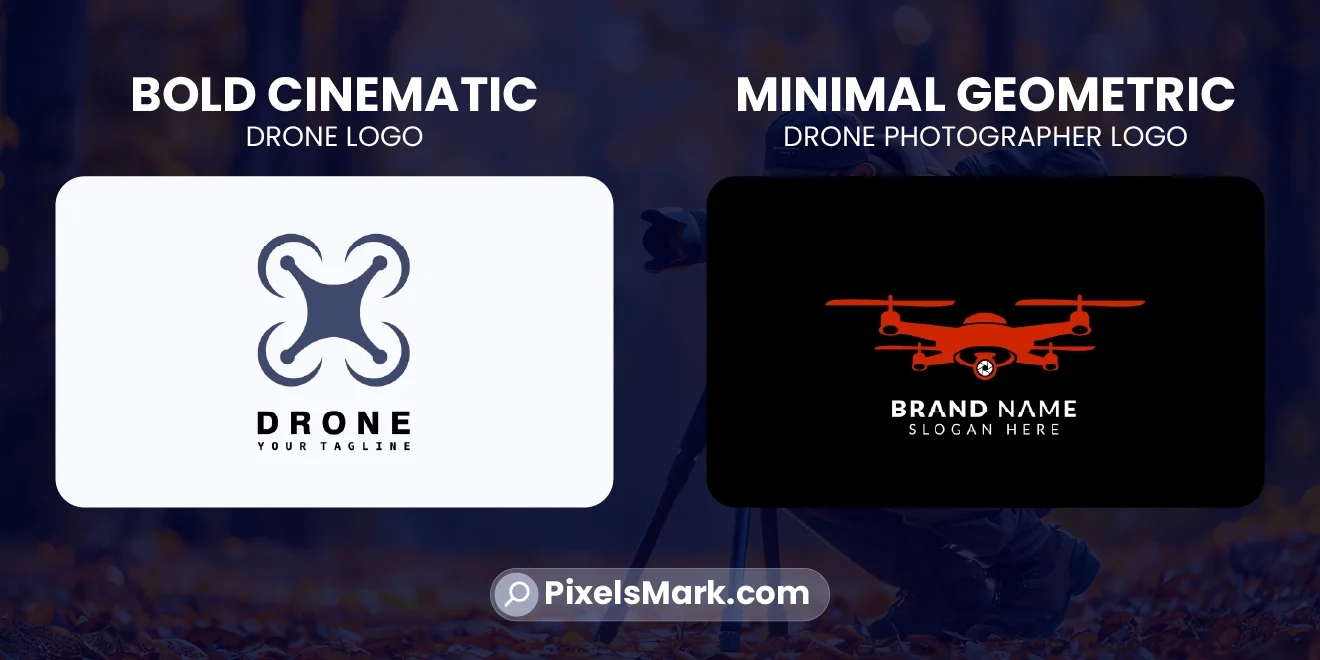
| Minimal Geometric | Inspection, survey, mapping | Precise geometry can suggest a technical visual register; simplified forms are easier to test at small sizes | Can read as cold or generic if typography is not chosen carefully |
| Aerial View Mark | Real estate, landscape aerial | Overhead-perspective abstraction signals the unique POV of aerial work without a literal drone icon | Requires skilled execution to avoid looking like a map pin or location dot |
| Tech-Forward Wordmark | Established operators, commercial filmmakers | Name-only mark keeps attention on the studio name and typography | Relies entirely on font quality; a weak font choice produces a weak result |
| Monogram + Flight Element | Solo operators, personal brands | Compact arrangement can fit an avatar or approved watermark; check the initials and flight detail at the actual size | The flight element must be highly simplified or it clutters at small sizes |
| Bold Cinematic | Advertising, documentary, branded content | High visual weight can support a bold production-company identity | May feel too imposing for a restrained brief; compare a lighter version |
| Wing / Flight Path | Travel, adventure, lifestyle creators | Dynamic form suggests movement without a literal drone; social-media-friendly | Expressive details may need simplifying for a restrained corporate or inspection brief |
| Abstract Motion Mark | Multi-niche operators | Nonliteral imagery allows a direction that is not tied to one drone model or subject | Harder to make distinctive; abstract marks risk looking like any other abstract mark |
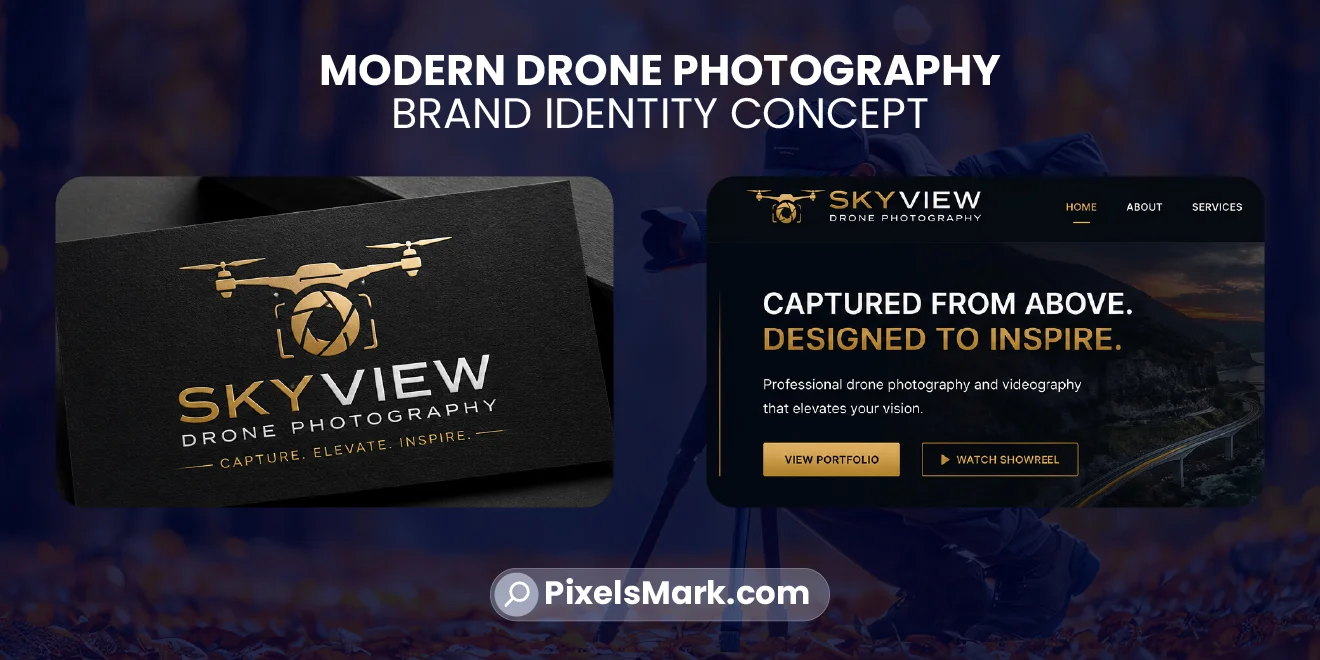
| Premium Dark Luxury | Resort, superyacht, high-end real estate | Dark field, refined type and a gold or platinum accent can suggest a premium visual register | Check type spacing and contrast; metallic accents alone do not create a coherent identity |
Drone Photography Logos by Niche
Real Estate Aerial Photography
Real estate aerial photography often serves developers, agents, and property marketing teams. A clean, high-contrast wordmark with a secondary geometric mark can fit proposal documents and listing materials. Navy and charcoal offer a restrained starting direction, but they do not prove reliability. A flight-path abstraction can also fit a creative brief; compare options against the brand and the way the identity will be used.
Plan a full logo lockup for a website header or document and a compact mark for small profile images where needed. Check each platform’s actual display area rather than assuming one size works everywhere.
Wedding Aerial Videography
Wedding aerial work sits within the broader wedding vendor market. For a warm, personal brief, compare a refined serif or a lighter geometric sans-serif with a more condensed technical treatment. Warmer neutrals, soft golds, or ivory accents are possible directions; check that thin strokes and supporting text remain readable in the intended application.
Consider how the identity sits alongside the other photographers and videographers a couple is comparing. A technical or expressive treatment can still work when it fits your wedding brand and portfolio.
Travel and Lifestyle Drone Creators
Content creators in travel and lifestyle distribute primarily through social platforms, which means logo recognition at avatar size matters as much as full-size legibility. Flight-path or wing-inspired marks with contrasting typography can support an energetic identity; check the mark at profile-image size. The palette can afford more energy — a high-contrast black and white with one accent color, or a palette built around sky tones.
Test the icon in the actual profile display and crop. A 40×40-pixel preview can be an illustrative small-size check, not a universal platform specification.
Construction and Architecture Aerial Photography
Construction clients may need progress documentation, architectural imagery, or both. A charcoal or slate palette with a clear sans-serif wordmark can fit a documentation-focused brief. A cinematic or artistic treatment can also be appropriate for an architectural portfolio. Prioritize readable site reports, proposal headers, and small listing images; the logo itself cannot demonstrate punctuality or documentation quality.
Commercial Inspection and Survey
Inspection and survey operators work with infrastructure companies, engineering firms, and industrial clients. The visual language of this market is closest to an engineering firm: minimal, precise, and functional. Technical typefaces like Rajdhani or a condensed sans-serif can communicate that register. Navy and electric blue are common choices in this space — though what reads as authoritative varies by specific client and region; the principle is consistency with the visual context your client already operates in, not adherence to a fixed palette.
For more on niche visual differentiation across photography specialties, see the PixelsMark collection of best photography logo ideas.
Best Fonts for Drone Photography Logos
Geometric and condensed sans-serif fonts offer different proportions to compare for a drone photography identity. These five are starting points, not guarantees of readability:
- Montserrat: Compare its geometric letterforms in the wordmark and supporting text. Test the chosen weight and spacing at your smallest intended size rather than assuming the font will stay readable everywhere.
- Bebas Neue: Its condensed uppercase forms can give a primary wordmark strong presence in one line. Check spacing and small supporting text carefully instead of treating it as a universal choice.
- Oswald: A condensed sans-serif with slightly more editorial character than Bebas Neue. Works for operators who want distinction without unconventional letterforms.
- Poppins: Friendly proportions with clean geometry. Suits lifestyle and travel drone creators who want approachability alongside professionalism.
- Rajdhani: Carries technology associations through slightly angular letterforms. Suits inspection, survey, and technical operators specifically.
A restrained script or refined serif can be worth comparing for a personal or wedding-focused brief. Check distinctive letterforms at proposal-header and small-screen sizes, and use a simpler supporting treatment when necessary.
The most important test before finalizing any font: apply it as a watermark overlay on a sample frame of aerial footage at the size you actually intend to use. A font that reads beautifully at large size can become unreadable at watermark scale, especially if the footage has low-contrast areas or camera movement. Test on footage, not just on a white background.
For a dedicated guide to font selection for overlays and watermarks, see the PixelsMark article on photography watermark fonts.
Best Color Palettes for Drone Photography Brands
| Palette | Best for | Emotional Signal | Context |
|---|---|---|---|
| Black + Orange | Action, adventure, travel | Energy, visibility, confidence | Less suited to conservative corporate or inspection clients; depends on your primary market |
| Navy + Electric Blue | Inspection, surveying and technical services | Trust, technology, precision | Works well for commercial and inspection clients; may feel too corporate for lifestyle or adventure creators |
| Charcoal + White | Commercial, construction | Authority, clarity, reliability | Can read as cold in wedding or lifestyle markets where warmth matters |
| Dark Gray + Neon | Cinematic, content creators | Modern, high-tech, distinctive | High contrast can feel aggressive in conservative corporate or inspection contexts |
| Gold + Black | Luxury, premium events | Premium, refined, exclusive | Premium associations may not suit clients seeking approachable or budget-friendly positioning |
These are possible visual associations, not evidence of reliability, authority, pricing, or service quality. Compare the palette against the client brief and actual backgrounds. A black-and-white version is a useful check of hierarchy and contrast before adding color; it does not guarantee that every color combination will work.
Watermark and File Format Guidance
Whether to watermark delivered footage depends on your client agreements and market segment. Some clients expect clean, unwatermarked deliverables; others accept or require a branded overlay on previews or client-copy files. The technical guidance below applies when watermarking is part of your workflow — it is not a recommendation to watermark all delivered footage.
Choose the file format for the application, not just the logo style.
For video watermarks: A transparent PNG is a practical raster export when your video editor supports that import format. PNG supports alpha transparency, so the background can remain transparent rather than covering the footage with a rectangle. Export enough pixels for the intended overlay and avoid enlarging a small raster file. Keep an SVG master for scalable vector artwork in compatible web, design, and print workflows. Raster images embedded in an SVG still have pixel-resolution limits. Check your editor’s supported formats; do not assume an SVG can be imported directly as a video layer.
Full logo lockup versus compact mark: A full logo lockup combines the icon and studio lettering; a wordmark is the lettering itself. Use the full lockup where there is adequate space, such as a proposal or website header. A simplified icon alone can serve as a compact mark in a small avatar. Where footage watermarking is appropriate, test a simple lettering-only variant or another approved version; the Meridian Aerial example below uses MERIDIAN lettering only.
Light and dark variants: Many video platforms and listing sites use dark backgrounds. Exporting a white version of your logo on a transparent background gives you the flexibility to overlay on dark footage. A single dark-on-light version will not work across all contexts.
Legibility check over footage: Place your watermark over actual footage — not a still frame, but a representative sample of the kind of content you deliver. Check that it reads clearly over sky, over ground, and over high-detail areas like rooftops or tree canopy. Low contrast between the logo and the footage background is the most common legibility problem.
Opacity: Watermark opacity is a production decision, not a logo design decision. Different clients and platforms have different conventions. Do not design around a specific opacity assumption; design a mark that works clearly enough to be recognizable at reduced opacity, then let the opacity be adjusted for each context.
Illustrative Example: Full Logo Lockup, Compact Mark and Footage Watermark
To make the format trade-offs concrete, consider a fictional studio called Meridian Aerial — a commercial real estate and construction aerial photography operator.
Full logo lockup (website header, proposal documents): In this fictional direction, a simplified geometric icon sits beside MERIDIAN AERIAL lettering. MERIDIAN uses a condensed sans-serif such as Oswald in uppercase, with AERIAL smaller and more widely spaced below. The aim is to keep the icon and both lines readable at the actual header or document size; this has not been demonstrated by a finished design.
Compact mark (social media avatar, email signature icon): Use the same simplified geometric icon alone, without MERIDIAN or AERIAL. Check its silhouette in the actual profile crop. A 40×40-pixel preview is an illustrative test size, not a required platform dimension. If important details disappear, simplify the icon or use the full lockup where space allows.
Footage watermark (portfolio, showreel, or client-approved use): MERIDIAN lettering only, with no icon and no AERIAL descriptor. A white or light-gray version is one option to test against the footage. Choose the position and opacity for the composition and agreement. Check that the letters remain readable without covering important detail; thin strokes can disappear, while heavy strokes can obscure the image.
This proposed system illustrates why changing applications may require a different arrangement, not just a smaller copy of one file. Keep the icon and lettering consistent while testing each version at its intended size.
(Meridian Aerial is fictional. This is a written design illustration, not a real client project, completed artwork, usability study, or measured test result.)
Common Drone Logo Mistakes to Avoid
- Generic drone illustrations. A familiar stock drone icon may not distinguish one operator from another. Compare how the shape, studio lettering, and proportions work together rather than assuming that a literal drone drawing is always right or always wrong.
- Gaming or esports visual language. Neon accents, aggressive type, and dark backgrounds can work for specific cinematic operators, but they can work against you with corporate, real estate, and inspection clients.
- Too much detail. A mark with a detailed drone illustration, multiple colors, a tagline, and a decorative border can lose clarity at a small overlay size. Simplify until the mark reads clearly at the smallest size you actually use it — typically an avatar, a watermark, or a document logo position.
- Unexamined typography. A system or free font can be appropriate without modification. Check spacing, weight, and alignment in the full lockup and small lettering-only version, and adjust only where the application benefits. The source or price of the font does not determine whether the identity looks finished.
- Not testing at actual watermark scale. Where you use a watermark, test its readability on representative footage before finalizing.
- Using a template without checking the brief. Review the icon, typography, spacing, and palette against the brand and its applications. Default settings may already fit; customize the elements that need a clearer relationship or better readability rather than changing them only to appear original.
For reference examples of how other photographers approach these same decisions, see the PixelsMark collection of camera logo ideas for photographers.
How to Create a Professional Drone Photography Logo
- Choose your style direction. Based on your primary client type — technical/commercial or creative/lifestyle — decide whether your logo should feel precise and restrained or dynamic and expressive. The niche sections above explain which visual choices suit which markets.
- Test two or three geometric sans-serif options at watermark scale. The font that reads most clearly on footage at small size is the right starting point. Legibility at the application context that matters most takes priority over appearance at display size.
- Choose your color palette using the client brief and intended applications. Test in black and white first to confirm the design holds without color.
- Export a transparent PNG and test over actual footage. Place the watermark on a representative sample clip. Check legibility over sky, ground, and high-detail areas. Adjust stroke weight or simplify the mark if it becomes illegible.
- Use consistent versions of the identity across your website, social profiles, and proposal documents. Use a footage watermark only where appropriate and agreed. Keep shared lettering and icon features recognizable while changing the arrangement to fit the application.
For a step-by-step walkthrough of the full process, see the PixelsMark guide on how to create a photography logo online.
Use Pixels Mark’s drone photography logo maker to explore a starting direction, then compare it against your brief and intended applications.
![How to create a drone photographer logo online free using Pixels Mark logo maker for aerial photography]](/blog/screenshot-of-drone-photography-logo-creation-process-showing-font-and-style-selection.webp)
Frequently Asked Questions
What should a drone photographer logo include?
Start with the studio or operating name in readable lettering, and add an icon only if it serves the brief and intended applications. A lettering-only wordmark is a valid direction; a full logo lockup adds an icon. Test a compact icon separately before relying on it in a small avatar.
What font works best for drone photography logos?
There is no single best font for every drone business. Compare Montserrat, Oswald, or Rajdhani against your name, brief, and applications. Check letter spacing and weight at the sizes you actually use, including a footage overlay where watermarking is appropriate.
Should a drone logo look technical or creative?
Choose according to the client brief, brand, and applications. A restrained technical treatment can fit documentation-heavy work; a more expressive treatment can fit a creative portfolio. Neither approach proves service quality, and neither is automatically wrong for a particular niche.
Can I use my drone logo as a watermark on footage?
It depends on the context. On portfolio clips and showreel footage you control and are entitled to publish, you may choose a watermark to identify the work. For previews or rough cuts, agree the overlay with the client. On final client deliverables, whether to watermark depends on your client agreement: some clients expect clean unbranded footage; others may approve a small branded mark. Clarify this in your contract rather than applying a watermark by default to all delivered work.
Where watermarks are appropriate, the design requirements are specific: a transparent PNG with a clean wordmark or compact mark, legible at the opacity and size you use, and tested on actual footage rather than a still background. For font choices in watermarks, see the PixelsMark guide to photography watermark fonts.
How do I create a drone photographer logo for free?
Pixels Mark currently lets you start its drone photography logo maker for free. The existing maker asks for contact details before continuing. Use the available PNG or SVG export controls for your design, and select a transparent background when exporting a PNG watermark.
What colors work best for drone photography logos?
Test colors against the brand, brief, and backgrounds. Navy or charcoal can offer a restrained direction, while orange or electric blue can provide an energetic accent. Gold and black can suggest a premium visual register. These associations vary by context and do not establish reliability, price, or service quality; compare contrast and readability before choosing.
Conclusion
Choose a drone photography logo direction by comparing it across the applications you actually use: a website header, a proposal, a small profile image, equipment, and footage where a watermark is appropriate. A design that reads well on a large white canvas still needs checking in those other contexts.
Start with the client brief and your brand. Compare the visual register, simplify details that lose clarity, and test the result where it will actually be used.
Contact details are requested in the maker journey. PNG and SVG export options are available; choose transparency for a PNG watermark.